





Billing & payments
Rent that bills, collects and reconciles itself.
Invoices go out before the due date, autopay runs on the day, and every payment, credit and refund lands on a ledger anyone on your team can read.
What it does
In the product today
Your billing cycle
First of the month or anniversary billing, with proration and invoices sent the number of days ahead you choose.
Cards and bank accounts
Card and US bank payments through Stripe, paid out to your bank. Autopay with retries on the days you set.
At the counter
Card readers (Stripe Terminal), cash, check and money order, plus card payments your staff take over the phone.
Credits and refunds
Prepaid rent, account credit, refunds, returned-payment fees and write-offs, each on the ledger with who did it.
Sales tax
Tax on rent and on merchandise at your rates, carried through to the sales tax report.
Statements and receipts
Receipt emails after every payment and statement PDFs on demand.
Online payments and autopay are on Professional and Enterprise. Compare plans
See it
Billing & payments, in the real app
Real screens from Bayable on a sample company with three facilities, in the places they get used.
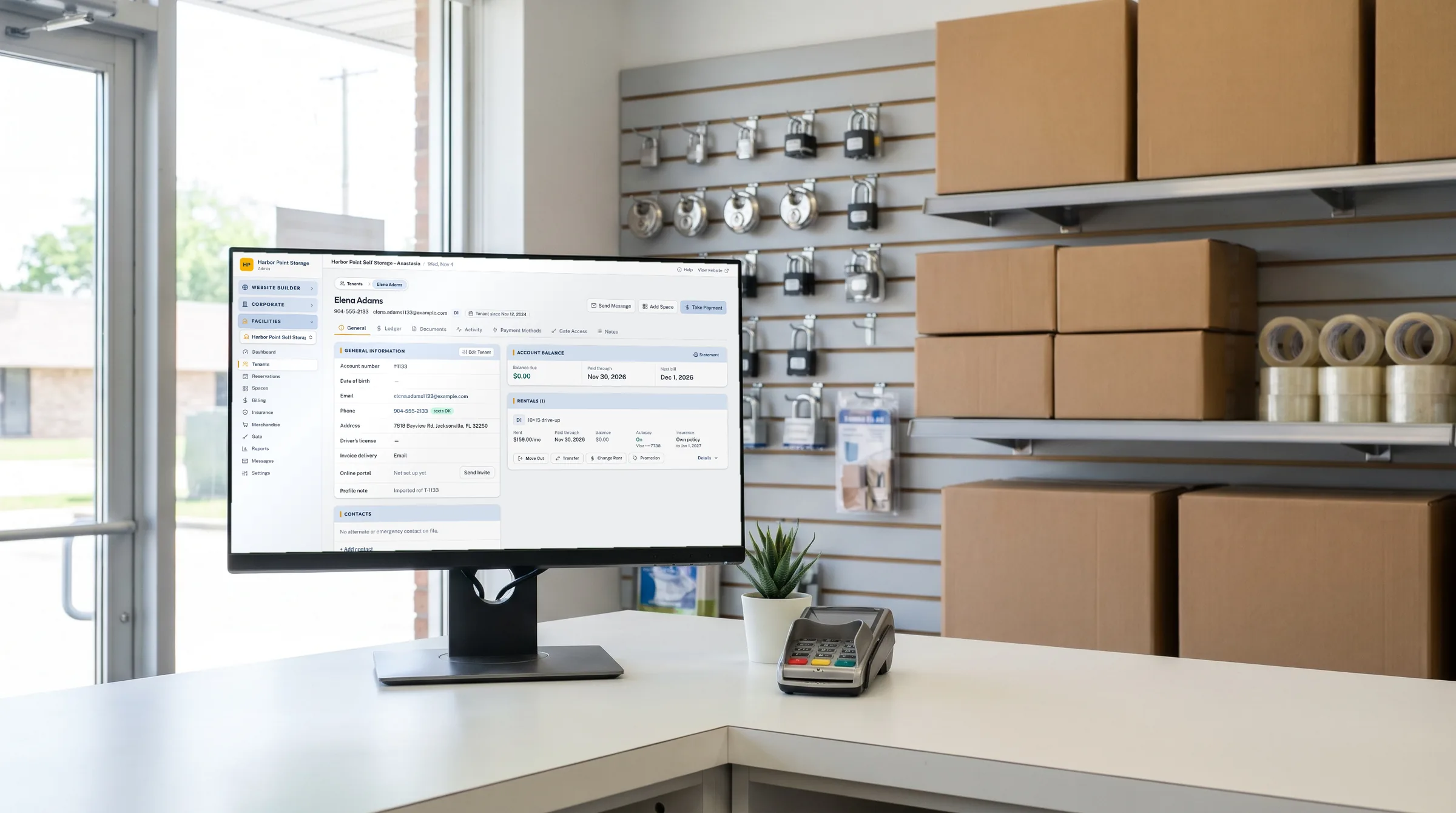
At the front counter: A tenant's record with rentals, balance and ledger, beside the card reader.
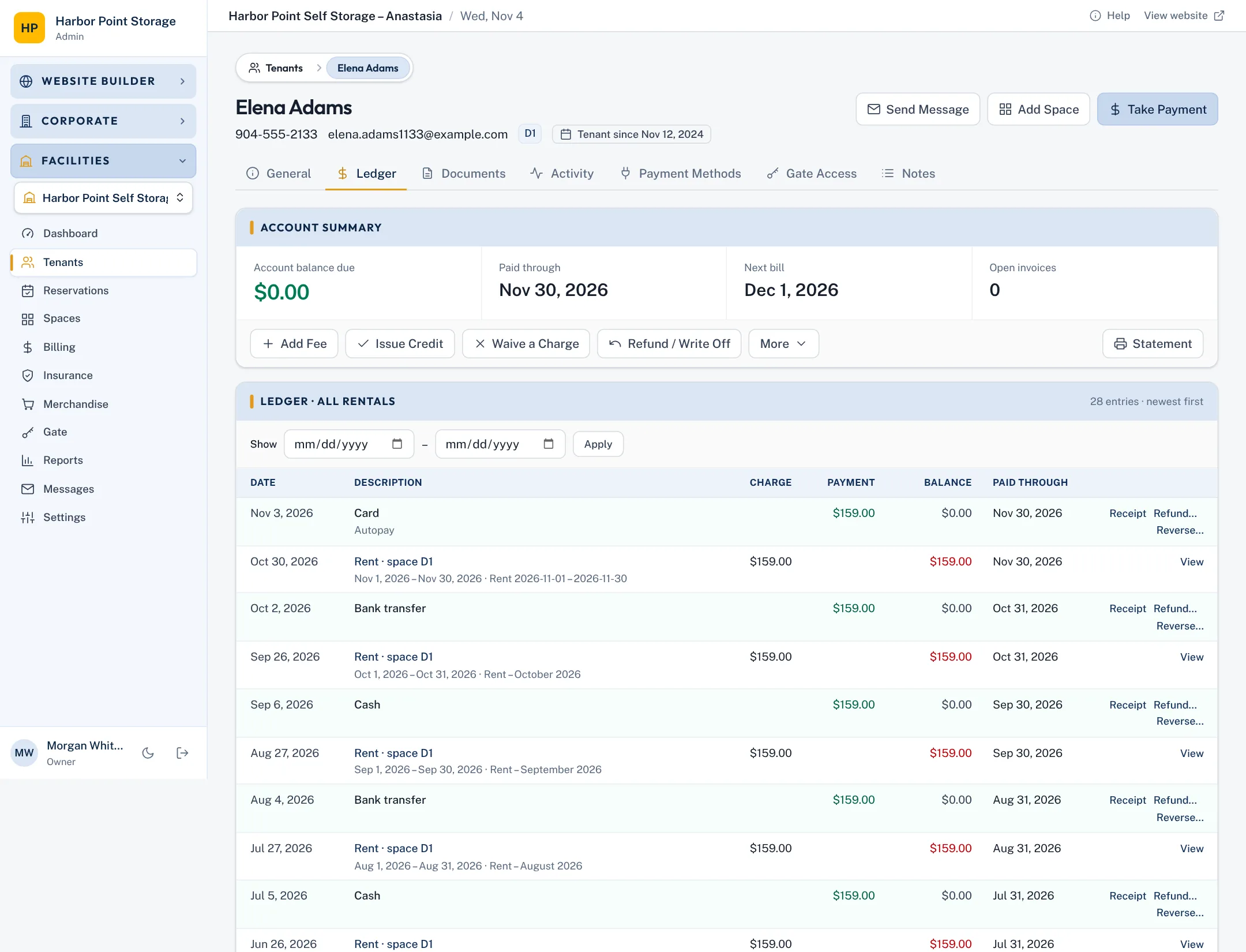
Tenant ledger: Every invoice, payment, credit and fee for the tenant, with a running balance and a statement in one click.
On the way for billing & payments
Coming soon- SoonPayment plans with scheduled instalments
- SoonQuickBooks Online and Xero sync