





Switch without a single tenant noticing.
You run on a Bayable address while you load, check and get comfortable. Your current system keeps working the whole time. When the numbers match, you point your domain and tell your tenants the new login. That's the switch.
Two addresses, in order.
First
yourname.bayable.com
Created with your tenant, live at once, with HTTPS. Staff log in at /admin, tenants at /account. Nothing on your old domain changes. Load, check, train the staff, run a month in parallel if you want to.
Then
www.yourdomain.com
Add your domain under Corporate settings → Domains. We show the exact DNS records to set and check them for you. Once they resolve, your domain serves your Bayable site, and you choose which address is the main one. White label from then on: your name, your logo, your email address on every message.
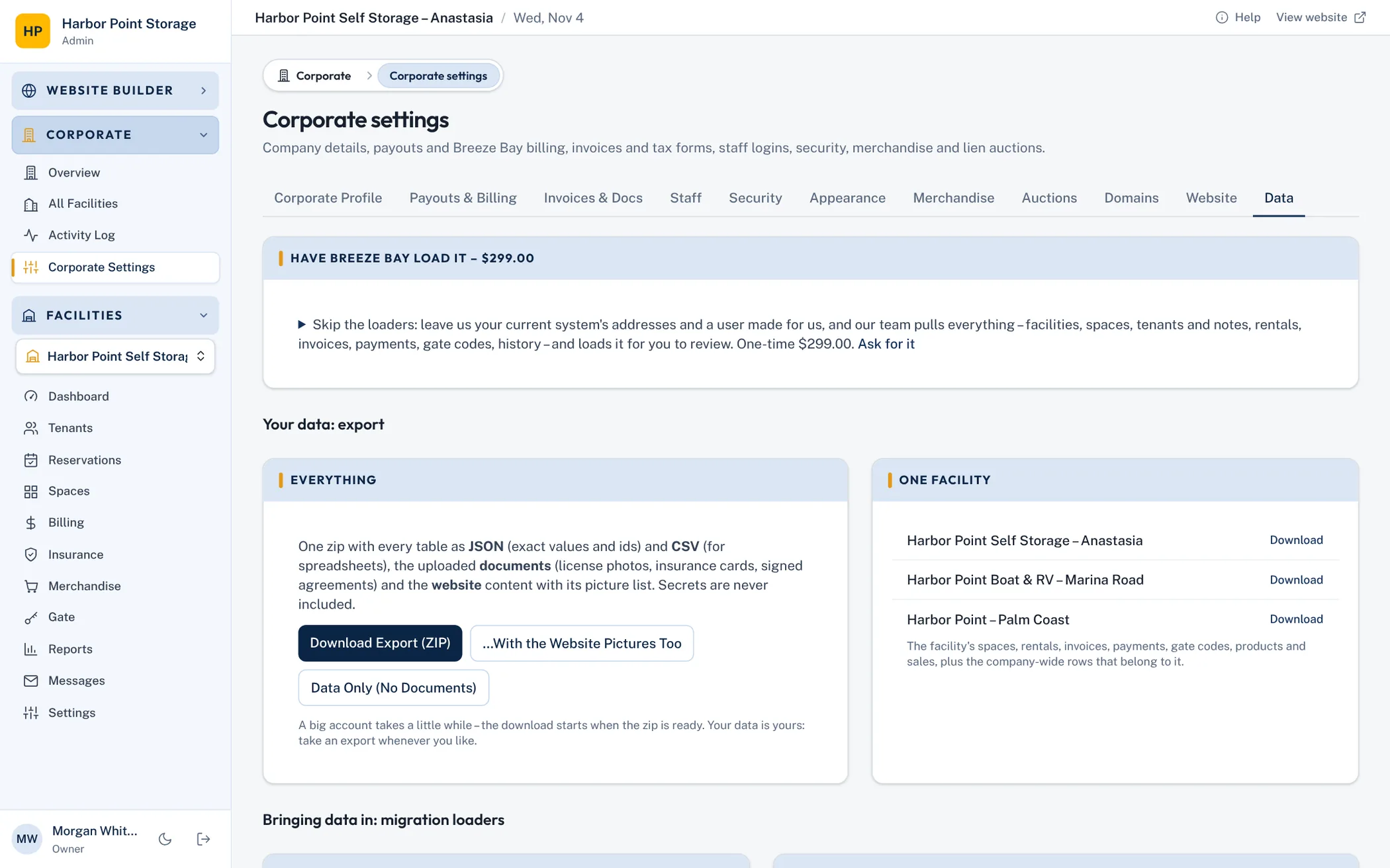
Or have us load it
Bayable loads your data – $299, one time.
Pick it on the first step of the setup. Tell us what software you run today, your website and admin addresses, and a user you create for us there (full access, multi-factor sign-in off). You skip the loaders; our team signs in, pulls everything the system holds – facilities, space types, spaces, tenants and notes, rentals, invoices, payments, gate codes, history – and loads it for you to review. Nothing is final until you say it's right.
Every object, with its history.
A loader per object. Each takes an Excel, CSV or JSON file (the Excel templates have dropdowns, date checks and sample rows), refers to other rows by the reference you give (a tenant number, a space name), and produces a report before anything is written. Apply when the report is clean; the whole file loads in one transaction or not at all.
Loaders can be run again: a row with a reference that already exists updates it, so you can load a fresh export the night before you switch.
- Templates with sample rows for every loader, in one download
- Historical invoices and payments load as paid history: ledgers and aging are right from day one
- New facilities, extra facilities for an existing company, or a whole corporate at once
- A Bayable export zip restores into a new tenant in one step
01Facilities (corporate)
The facilities of the company and how each one bills – new ones are created, existing ones (same ref or same name) are updated. A setting left blank keeps what the facility has (a new facility gets the app's default). The company's own details are under the tenant's Overview.
02Space types
Sizes and prices. A space type belongs to a facility and is matched by facility + name.
03Spaces
Every space with its number and type. Matched by facility + number. Occupancy comes from the rentals loader, not from here.
04Promotions
Move-in specials and codes. Matched by facility + name. A rental on a promotion names it in the Rentals file (promotion column).
05Tenants
People and businesses. Matched by ref (or email when there is no ref). Passwords are never imported – tenants set one from the portal's “Forgot password”. A business goes in as first name + last name (e.g. Harbor Marine / Services LLC) with its contact person as the alternate contact.
06Rentals (current and past)
Who rents which space, for how much and since when – and past rentals with their move-out date. Active rentals mark the space occupied, and a tenant's gate code opens the gate at that facility – unless the rental is past due or was locked out (it stays locked until they pay). Matched by ref, or tenant + space + move-in date.
07Vehicles & boats
What is stored. Matched by tenant + plate/VIN (or make + model when there is neither).
08Invoices (history)
Past and open invoices, one row each with its total and what's paid. The ledger shows them exactly as they were. Matched by ref. An open invoice past its due date makes the rental past due (its gate stays locked until paid).
09Payments (history)
Every payment received, tied to its invoice (or just the rental). A payment pays its invoice up to what the invoice comes to; what's left – or a payment with no invoice – is money on the tenant's account: it pays their next bills, and what's unused can be refunded. Matched by ref.
10Account credits & prepaid rent
Balances in the tenant's favour, one row each, with its kind. kind = credit is ACCOUNT CREDIT (goodwill, a refund owed as credit): it pays the tenant's next bills and can't be paid out. kind = prepayment is MONEY ON ACCOUNT (rent paid ahead): it pays the next bills too, and what's left is the tenant's – it can be refunded. Prepaid rent is a prepayment. Either is used on each bill as it's issued, so a prepaid tenant is never late. Matched by ref.
11Tenant notes
Staff notes on a tenant's file.
12Gate codes (vendors & shared)
Codes that aren't a tenant's own (vendors, cleaners, the office). Tenants' codes are on the tenant rows.
13Merchandise products & stock
Locks, boxes and supplies with prices and stock on hand. Matched by facility + SKU (or name).
14Merchandise sales (history)
Past counter sales, one row per sale with its items as JSON. Matched by ref.
15Message history
Emails and texts already sent, so the conversation history carries over. Matched by ref.
16Card-on-file (Stripe mapping file)
Links the cards Stripe imported from the previous processor to the tenants here. Upload the mapping file Stripe returns (CSV, Excel or JSON); each old customer id must be a tenant ref (or the tenant's email). Autopay is switched back on for rentals that had it.
The website and pictures
The website loader takes a site.json (the builder's own format, so an export from another Bayable tenant drops straight in) and a folder of pictures. Pictures are uploaded to your media library and the pages are wired to them. Or start from a theme and build the site new in an hour.
Cards on file
Saved cards live with the card processor, not the software. If your current processor is Stripe, the cards move to Bayable's Stripe account as a PAN migration between accounts and the card-methods loader links each card to its tenant. If it isn't Stripe, the processor exports the tokens to Stripe under PCI rules and the same loader links them. On Enterprise we run this with you.
What stays behind
Passwords. Tenants set a new one with “Forgot password” on the portal the first time; the welcome message you send them says so. Nothing else needs to stay: gate codes, notes and the message history all come across.
The day of the switch
- 1. Export from the old system one last time; run the loaders again (they update what changed).
- 2. Check the rent roll and aging against the old system; they should match to the cent.
- 3. Point your domain; the DNS check turns green.
- 4. Send every tenant the welcome message with the new portal address (Settings → Templates → Send to tenants).
- 5. Switch autopay on for the tenants who had it; the first invoices go out on your usual day.