




What's new
Changes to Bayable by date, newest first – what moved, what's new and what was fixed, with where to find it.
Bayable is updated most days. This page lists the changes people notice, newest first; the Help assistant knows them too, so you can ask "what changed this week?". Anything older than a few months drops off.
November 16, 2026
- We're Bayable now – at bayable.com. The software has a new name and logo – "Bay" in navy, "able" in orange – and a new address: the Bayable site and help center are at bayable.com, and your Bayable address is now
yourname.bayable.com(the admin atyourname.bayable.com/admin). Old addresses and links – bookmarks, emails, QR codes – forward to the same page on the new one, so nothing breaks; you may be asked to sign in once more at the new address. If your website uses your own domain, nothing changes for it. Everything else stays the same: the features, your sign-in, your tenants' portal, your data and your plan. Emails from Bayable keep coming from the same addresses for now. Your facility's own emails and website keep your name and logo as always; the small "Built with love on" badge at the foot of your site shows the new logo.
November 15, 2026
- The menu on phones closes when you tap away. On facility websites (Classic and Trendy looks), the three-line menu used to stay open until its button was tapped again – even after following one of its links. It now closes when you tap anywhere else on the page, choose one of its links, or press Escape on a keyboard.
November 13, 2026
- Text-message consent, spelled out. The "text me" box on the online move-in and reservation forms, the tenant portal profile and the office forms now carries the carriers' wording (what the texts are, frequency varies, msg & data rates may apply, STOP to cancel, HELP for help, consent not a condition of renting) with links to the privacy policy and a new public page, bayable.com/sms-terms. The first text a number receives says the same. See Messages, templates and the inbox.
- Account credit on Bayable invoices. Credit Bayable gives you now pays your invoices first – the plan invoice, a plan change, and any one-off invoice – before anything is charged to your card or bank account. The invoice email shows Account credit used and what's left; an invoice the credit covers completely arrives marked paid with your account credit. The pay page lists it under Paid and credited. See Your plan.
- One-off invoices from Bayable (agreed extra work such as onboarding or training) now read as a single date rather than a period, and are paid the same ways as your plan invoice.
- Behind the scenes: Bayable's own super admin got a hosting cost and load panel, custom invoicing and credits, and a read-only sales role; the tools used for the database move of November 6 have been retired.
November 12, 2026
- Website sections no longer go missing when moving between pages. On any look with motion on, going from Contact to How it works or back to the home page could leave sections you landed past – Our locations, Spaces & pricing, About – invisible until you scrolled back over them (the fade-in waited for each section to pass across the screen, and a page jump never does). The fade is now tied directly to where a section is on the screen, with no script involved, so a section can't be left hidden by a menu link, the back button or a jump. How it works and other in-page links also stop just below the menu instead of under it.
- Websites load faster. The Editorial, Modern, Soft, Elegant and Friendly type pairings used to load their fonts from Google's servers before a visitor could see any text; every pairing is now served from your own website, and the one you picked is fetched first. Your Terms, Privacy, blog and your own pages now come from the same fast cache as the home page (publishing still updates them at once). Google Analytics, Tag Manager and the Facebook pixel load after the page has finished, instead of competing with it.
- Readable on every palette. The small label above the banner headline and the "Move in today" title now lighten automatically when a palette's accent would be hard to read on the dark banner (Forest, Slate, Sage, Sky); Harbor is unchanged. The "Built with love on Bayable" link at the foot of Trendy sites was white on white – fixed.
- Grey text and markers across the app. Some in-between shades of grey were never defined, so text meant to be mid-grey showed in whatever colour surrounded it, a few status dots had no colour and some chart bars had no fill. They're defined now, in the light and dark admin themes alike.
- Behind the scenes: every look and feel option is now tested against every other – all 13 themes plus a set of 110 mixes in which every option meets every other option – on every page of the site, on a computer and a phone, including moving between pages with the menu and the back button.
November 11, 2026
- Your website has a Look & feel. Website builder → Look & feel: keep the Classic look or switch to the new Trendy one (a floating glass menu, big type, a highlights strip, bento feature tiles, a gradient call to action, a dark footer with your name written large), then mix and match twelve palettes, nine type pairings, six hero layouts (photo banner, split, stacked, minimal, video, collage), four corner shapes, seven backgrounds, three motion levels, spacing, four button styles and five photo treatments – each independent of the others. Sites that haven't touched it look exactly as before. See The website builder.
- Thirteen themes to start from. At the top of Look & feel: five Classic (Harbor – the original, Meadow, Lakeside, Summit, Desert) and eight Trendy (Coast, Midnight, Sunset, Noir, Urban, Fresh, Twilight, Sunrise). One click sets the whole look, the colours and a matching banner picture (your own uploaded banner stays); change any piece after. Surprise me still deals a random mix.
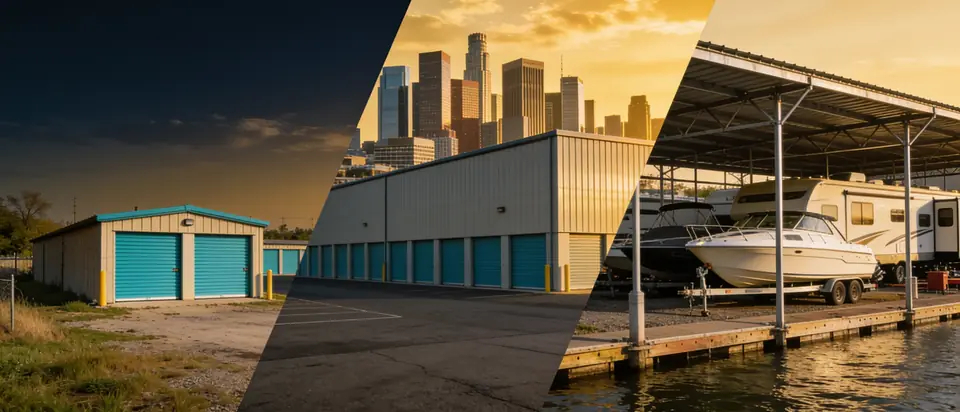
- Twelve new photos in the library, under Light & mood: the pictures the themes use – a marina at golden hour, a gate at blue hour, an RV lot at sunset, a modern building for black and white, a landscaped facility in the morning, a city building at dusk, boats by a lake at sunrise, a bright climate-controlled hallway, canopies with mountains behind, drive-up doors at dawn, a desert facility and a facility at twilight. 62 photos in all, free on every plan.
- Trendy look, fixed on the inner pages and on phones. Earlier today the floating menu sat on top of the page title on Spaces & pricing, the facility page, Contact, Reserve and Move in, and on phones the hero's highlights strip pushed the headline and photo off the screen. Both are fixed; form fields keep their usual corners whatever the shape; the Spaces page's buttons follow the button style.
- Every theme shows every section (Nov 12, 00:50). On themes with motion on (all but Harbor and Summit), the sections below the banner – Our locations, Spaces & pricing, About, the gallery, reviews, the FAQ – stayed invisible: the script that reveals them as you scroll ran before the page had them. It now runs once the page is complete, and again after moving between the site's pages. Also fixed: the second banner button on the Meadow and Desert themes was white on white; the Sunset collage fills from the photo library when a site has fewer than three photos; on the Sunrise theme the wave edge hid the banner's words and shading.
- The AI studio is gone. The photo-and-clip studio shipped earlier today (and its Higgsfield connection, plan credits and super admin settings) has been removed; the themes and the photo library cover it with ready-made pictures and no credits. The Video hero layout still takes any MP4 or WebM link.
November 10, 2026
- Website builder: SEO tab tidied, Contact page moved, SEO suite now Enterprise. The Contact page settings (intro text, list every facility) live under Branding & nav; the tab is now called SEO; the SEO health card is collapsed until you click it, like AI search readiness. The SEO suite (per-page titles, local-business listing, verification, analytics, indexing, AI search settings and rank tracking) is part of the Enterprise plan from today; a suite switched on under a lower plan keeps what you entered but publishes nothing until the plan includes it. See Website and Your plan.
- Keypad entries show once. A PDK gate reported each entry as two or three events (the read, the credential match, the decision), and the Keypad entries list showed each one; the list now keeps the decision only, the duplicates stored since the gate was connected are removed, and the 24 h / 7 d counts are right.
- Help button and question box. The Help button is now just the round spark icon at the bottom right (hover shows "Help (Ctrl + /)"), and the question box starts at two lines and grows as you type.
- Emailing everyone at once. The guide and the Help assistant now point to the right place – Settings → Templates → Send to all tenants – with the audiences and the steps; the Messages mailbox is for one conversation at a time. See Messages, templates and the inbox.
- The Help assistant knows the vehicles. Ask it what a tenant stores and it lists each rental's vehicle (year, make, model, color, length, plate, insurance and registration dates), and it finds a tenant by plate, make or model.
- Expired driver's licenses. When the license on file has passed its expiration date, the tenant's Documents tab marks it expired and counts it as missing, Request Missing Documents asks the tenant for the current license (with its new expiration date), and the Help assistant's tenant look-up reports the license status – the expiration date only, never the number. See Tenant documents.
- A feature switched off for a facility is off everywhere in it. Until today a facility with merchandise, protection plans, auctions, promises to pay, prepay discounts or tax exemptions switched off still had the buttons and pages for them (a tenant's ledger could sell merchandise at a facility that doesn't sell any). Now the menu item, every button and link into the feature, its pages and the actions behind them follow the facility's switches and your plan, and say where the switch is. Settings pages are unchanged.
- The staff role moves tenants in at the space's rate. A move-in, reservation or transfer by a staff login takes the space's standard rate, the space type's deposit and the admin fee as set; a different rent, a waived admin fee or another deposit takes a manager or owner. Managers and owners see no change.
- Plans updated for everything built since October. The pricing page and Your plan now list what each plan includes: Free adds the Help assistant, importing from spreadsheets or your previous software, transfers, paper agreements, the photo library and your facility's hosted email address; Professional adds card readers at the counter, instant bank login, security deposits, prepay discounts, promises to pay, tax-exempt tenants, the SEO suite with AI search optimization, scheduled reports by email, holiday themes and your own domain for email; Enterprise includes the assisted migration ($299 one time on the other plans) and lien sales by your state's lien law. Prices are unchanged.
- The plan is now enforced for every feature. A feature outside your plan explains which plan includes it when you switch it on or save (online payments, card readers, the delinquency schedule, deposits and the other money settings, the SEO suite, holiday themes, manager and staff roles, scheduling a report, the corporate overview and cross-facility reports, the auction partner API, the Help assistant). Bayable can switch any single feature on for an account under super admin → Tenants → the company → Plan.
- Super admin → Plans has a checkbox for each of the new features, so what every plan includes is yours to change. Plans saved before today keep the new features at their plan's default until you change them (for a few hours this morning, plans saved earlier left them switched off – including the Help assistant).
- Nightly late fees, notices and gate lock-outs are running again. Since November 7 the nightly delinquency step stopped with an error and applied nothing; tonight's run catches up, so tenants who fell behind in the meantime get any late fee and notice due, and a gate lock-out if their schedule calls for one. Payments and other changes that save several things at once are fixed too.
- The Help button is light blue, like the other buttons in the admin, so it no longer stands out as a dark patch at the bottom right.
- Welcome emails link to your own website. The "your account" link in the move-in welcome email pointed at Bayable's site instead of your facility's.
November 9, 2026
- Help assistant. The Help button at the bottom right of every admin and super admin page (Ctrl + / or ⌘ + /) answers questions for your role, your facility and its setup, and can look up tenants, spaces, gate status and recent activity for you. It learns from questions it couldn't answer and from every update to the platform. See The Help assistant.
- Tenant search in the assistant finds tenants by name in any word order, by phone digits or account number, across every facility you can see, and says how many matched in all.
- "How many tenants do I have?" The assistant now answers with the same counts as the Tenants page: current, past due, with a balance, on autopay, moving out, moved in this month, reserved, moved out.
- SEO & Social – AI search. The website builder's SEO tab now scores AI search readiness next to SEO health, lets you decide which AI assistants may read the site (and whether AI companies may train on it), publishes an
llms.txtand FAQ and price structured data, and tracks rankings. See Your website. - Private pages stay private. Admin, super admin, tenant portal, signing and upload pages tell search engines and AI crawlers to keep out; nothing to set up.
- PDK gate controllers. Test connection now loads every device, however many doors a system has, and explains an empty list (no controllers, no doors, or a cloud node offline). See Gate access.
- Dashboard occupancy always shows the real percentage (it could stay at 0% when the page loaded in a background tab).
November 8, 2026
- Insurance moved to Corporate settings. Protection plans are switched on or off per facility under Corporate → Corporate settings → Insurance, like merchandise and auctions. Settings → Insurance at the facility now points there. Plans, auto-protect and the agreement texts live on the same tab; switching insurance off keeps the plans of tenants already on them. See Insurance and protection plans.
- Holiday themes. Under Corporate settings → Appearance, holiday themes add a garland to the header and a short shower of pieces after sign-in.
November 7, 2026
- Move-out form: the date starts empty, with a one-click Today button.
- Online move-in: a vehicle that won't fit the space is stopped on the vehicle step itself, before payment.
- Super admin: the dashboard no longer hangs on large databases; "Open their admin" from the development site stays on the development site.
November 6, 2026
- Bank accounts for payouts: log in to the bank for instant verification, or get reminded the day the deposit code lands. See Online payments.
- Development site (dev.bayable.com) for trying changes before they reach production.
- Subdomains: 6–40 characters, and reserved names (www, admin, mail…) can't be taken.
- Legal: the Customer Agreement shows under its own name everywhere.
- Walkthrough fixes: tenant notices, vehicle-fit checks, move-out defaults, gate wording and sales-tax notes.